FILEMILL25Get it for €9 → For developers & QA engineers · macOS
Test files in any format, at exactly the size you ask for.
FileMill is a small Mac app that generates valid files in 163 formats, sized to the byte, ready to drag straight into whatever you're testing. And when you need the wrong file, it breaks them on purpose.
14-day trial · no account · one-time purchase, no subscription
Every developer has a test-file graveyard.
A PDF borrowed from accounting. A big.bin of unknown origin. One sad JPEG. None of them are the right size, none of them cover your edge cases, and you still don't have a valid WOFF2 anywhere.
FileMill replaces all of that. Pick a format, type a size, and get a file that actually opens, with contents that look like a real document instead of random noise.
Fake files, mock files, dummy files, sample files, placeholder files — whatever your team calls them, FileMill generates them on demand, at exactly the size you ask for.
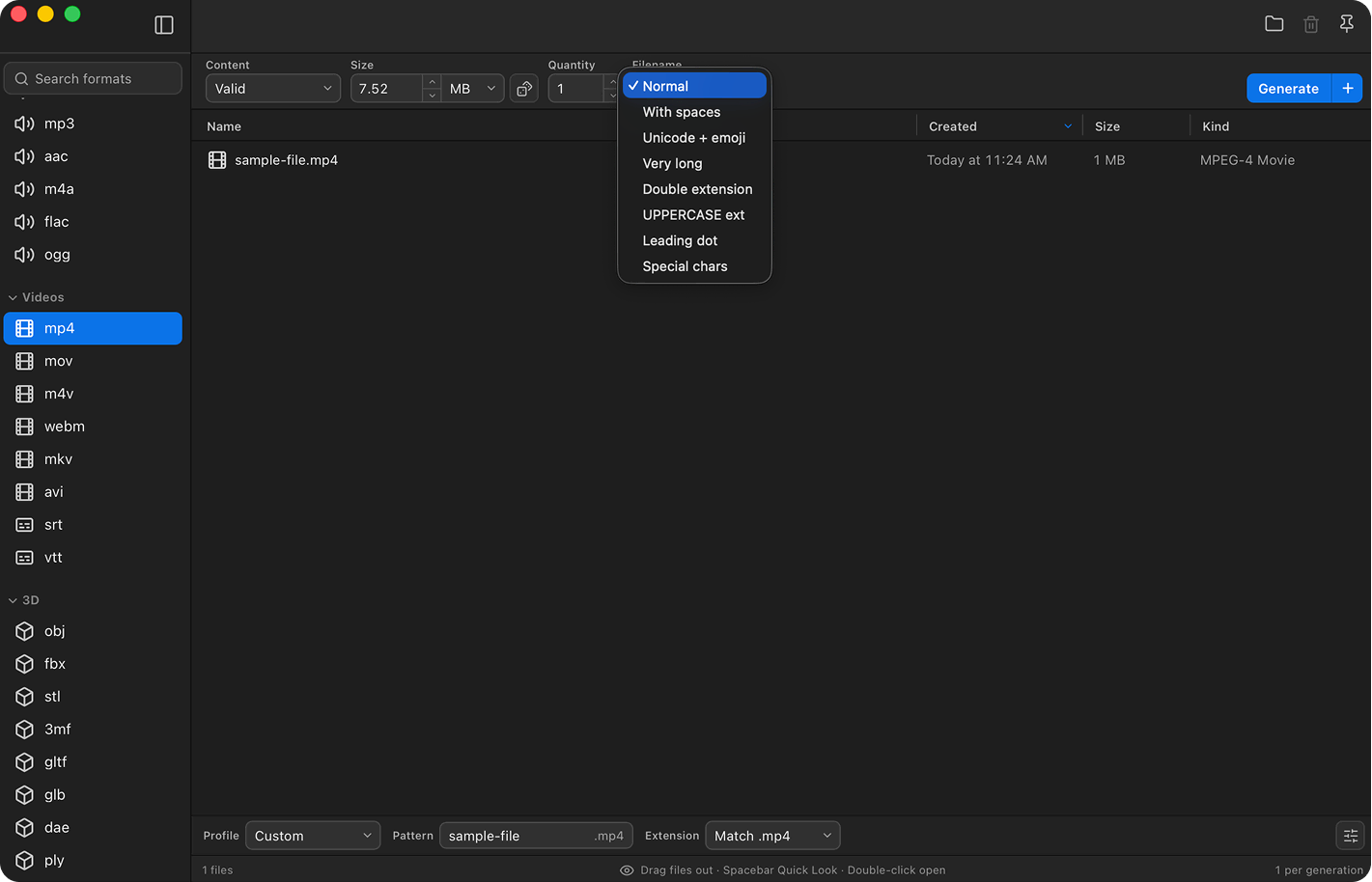
Try it right here
This is a small piece of the real generator running in your browser: four formats, exact sizes, and one break mode. The app does the same for all 163 formats, up to 8 GB.
Files that land exactly on the limit.
Ask for 4 MB and you get 4,000,000 bytes. FileMill uses decimal units, the same ones Finder shows, so the size you type is the size you get. No more "close enough" fixtures that quietly slip past the limit you wanted to test.
Boundary mode takes it a step further: one click gives you a file one byte under your limit, one exactly at it, and one byte over. Those are the three files every size check should be tested with.
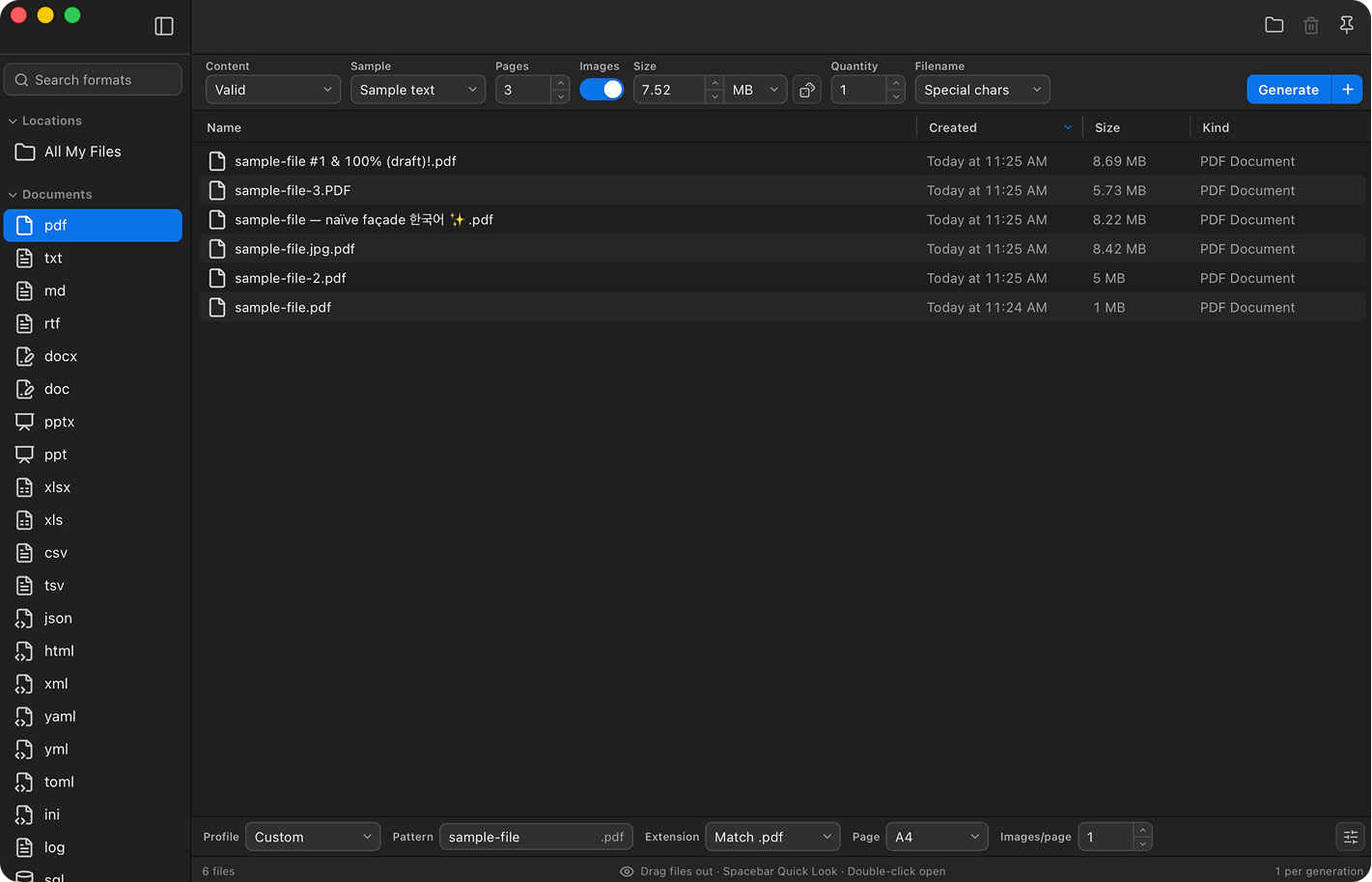
Break it before your users do.
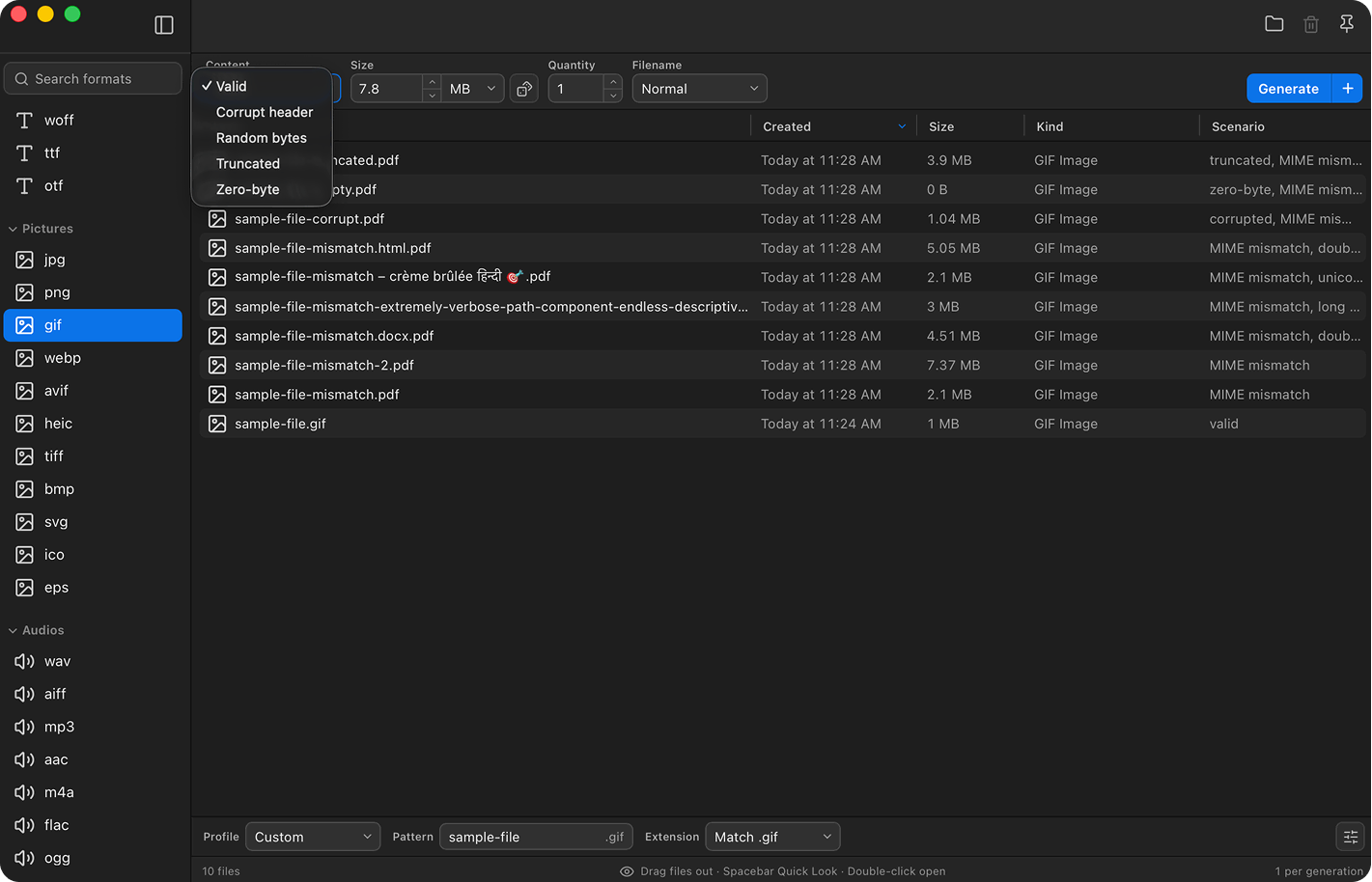
Real uploads fail in ugly ways. Transfers get cut off halfway, headers get mangled, and someone will rename an .exe to .pdf and hit submit. FileMill makes all of those on purpose and labels them clearly, so you can watch your error handling deal with them before a user does.
Filenames get the same treatment: emoji, 200-character names, invoice.pdf.exe, leading dots. A surprising share of upload bugs live in the name, not the file.
One file of everything, in one click.
Testing an allowlist? Press ⌘⇧G and FileMill generates one file of all 163 formats at your chosen size, or at random sizes within a range. Drag the whole set into your uploader and watch what sticks.
For repeatable runs, queue up several configurations and fire them together. Favorites keep your daily formats close, and your own real-world samples live in the same library.
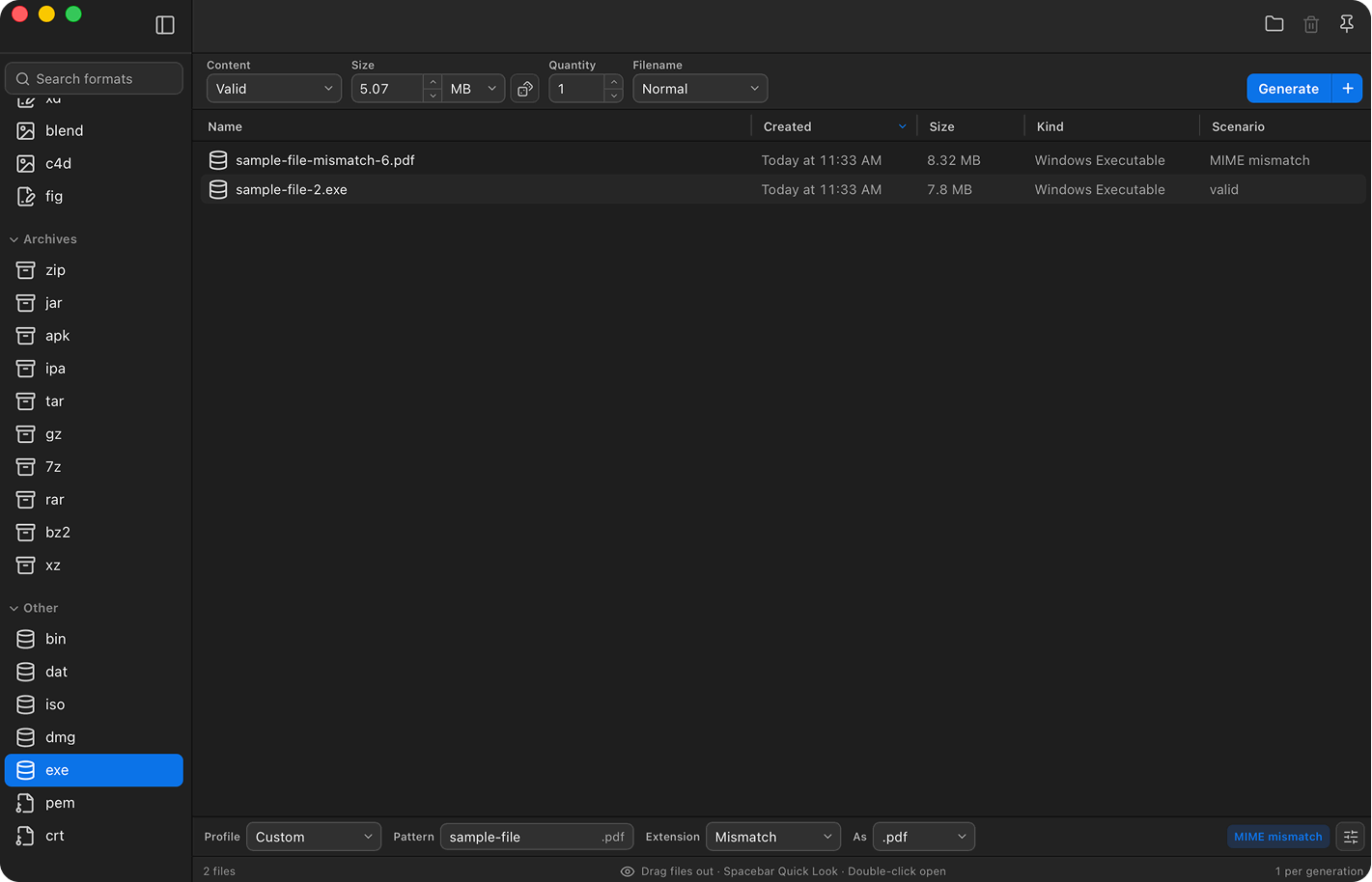
Bring your own test files.
Some fixtures can't be generated — the odd PDF a customer emailed you, the video that once crashed your pipeline. Drag them into FileMill and they live in your library right next to the generated files.
Quick Look them with the spacebar, copy them, and drag them back out whenever a bug report calls for them. Favorites keep the samples you reach for daily one click away.
Everything an upload form fears
Valid files for the happy path, and broken ones for everything else.
163 formats
Documents, spreadsheets, images, audio, video, fonts, archives, 3D/CAD, localization files, certificates — and the ones you can never find samples of.
Byte-exact sizes
Ask for 4 MB, get exactly 4,000,000 bytes. FileMill uses decimal units, so Finder agrees to the byte.
Structurally valid
Correct magic bytes and internal structure. The PDFs open, the ZIPs unzip, the PNGs render, the notebooks parse.
Professional content
Realistic spreadsheet data, styled documents, working code — not random bytes. Previews and demos look real.
Break things on purpose
Corrupt headers, truncated files, random bytes, zero-byte files, wrong extensions — every failure path, one dropdown away.
Hostile filenames
Emoji, spaces, double extensions like invoice.pdf.exe, UPPERCASE endings, leading dots, 200-character names.
Boundary mode
One byte under, exactly at, and one byte over your upload limit — generated together in one click.
Random sizes
Roll the dice within your own min–max range, per file or for a whole test kit.
Upload-security fixtures
The EICAR test string, an XSS-laced SVG, CSV formula injection, XXE, Zip Slip, an EXIF-GPS JPEG, and a JavaScript PDF — the payloads every upload handler should reject.
Reproducible seeds
Give a request a seed and it produces byte-identical output every time — perfect for checksum assertions and CI fixtures that never drift.
Folder trees
Generate whole nested directory structures of mixed types and sizes for sync clients, indexers, and backups — built across all your CPU cores.
Realistic datasets
Give CSV, XLSX, and JSON typed columns — email, UUID, name, city, price, date, and more — for fixtures that read like real data.
Dimensions & duration
Give images exact pixel dimensions — PNG, JPG, GIF, WebP, SVG, TIFF, BMP — and set the duration and frame size videos report, from 1 second to 24 hours. Still byte-exact.
Encoding & line endings
UTF-8, UTF-8 BOM, UTF-16 LE/BE, Latin-1, and LF/CRLF — plus CSV delimiter, header, and BOM controls, so you can test the encoding bugs on purpose.
Command line & CI
A companion CLI generates files, datasets, security fixtures, and folder trees from scripts — with seeds and a JSON manifest of SHA-256 checksums.
Test kit
One file of every visible format in a single click (⌘⇧G). Perfect for allowlist matrices.
Copy as real files
⌘C puts actual files on the clipboard for any upload dialog. SHA-256 checksums are one click away.
Batch queue
Line up multiple configurations and run them together. Drag results straight into Finder or Slack.
Bring your own files
Drag real-world samples into FileMill and keep them in your library next to generated fixtures — Quick Look, copy, and drag them out anytime.
Favorites & profiles
Pin the formats you use daily and switch between validation profiles like Upload limit, MIME mismatch, or Zero-byte in one click.
Settings travel with you
Export your whole setup — favorites, sizes, metadata defaults — as one file and import it on another Mac.
Private by design
Fully offline generation. The only network request ever made is validating your license key.
Built for the unhappy paths
The full list of break modes, hostile filenames, and size options.
Break the content
Six content modes, one dropdown
- Validcorrect structure, real content
- Corrupt headermagic bytes deliberately broken
- Truncatedvalid start, cut off mid-file
- Random bytesright extension, noise inside
- Zero-byteempty files for required-field checks
- Wrong extensionreal PDF saved as .txt
Break the filename
The other half of upload bugs
- Double extensioninvoice.pdf.exe
- Unicode + emojiünïcödé 日本語 🚀
- Very long200-character names
- With spaces“sample file (upload test)”
- UPPERCASEsample.PDF
- Leading dothidden files
Control the size
Exact when you want it, chaotic when you don't
- Byte-exactfrom 1 B up to 8 GB
- Boundary modelimit −1, exact, and +1 in one run
- Random sizeswithin your own min–max range
- Test kitall 163 formats in one click
- Batch queueseveral configurations, one run
- Name tokens{index}, {size}, {date}, {uuid}…
Is your format in here?
Probably. Search all 163, every one byte-exact and structurally valid.
163 formats across 11 categories
Documents
38Data
10Code
21Fonts
4Pictures
13Audio
9Video
113D
21Creative
15Archives
12Other
9For terminals too.
The same engine ships as a command-line tool, so your scripts and CI jobs can mill fixtures on demand. It prints one absolute path per file, which makes it easy to pipe into whatever comes next.
# one valid 4 MB PDF
filemill pdf 4mb

# five numbered JSONL datasets
filemill jsonl 100kb --count 5 --name "dataset-{index2}"

# the classic: invoice.pdf.exe
filemill exe 2mb --filename double-extension
One price, everything included
Buy it once and it's yours. No subscription, no account, no tiers.
FILEMILL25 → €9one-time purchase · no subscription
- ✓All 163 formats & every feature
- ✓Free 14-day trial, no account
- ✓One license, 2 Macs
- ✓Bundled CLI for scripts & CI
- ✓All future updates included
30-day money-back guarantee — no questions asked.
Frequently asked questions
Anything we missed? Email us and a human will get back to you.
163 and counting, from the everyday ones (PDF, PNG, DOCX, MP4, ZIP) to the ones you can never find a sample of anywhere (WOFF2, SQLite, GPX, XLIFF, USDZ, JPEG XL, Zstandard, HAR, torrent). If the one you need is missing, email us. Most requests ship in the next release.
Yes. They have the correct magic bytes and internal structure, so the file command identifies them, previews render them, and parsers parse them. Files are only broken when you pick a break mode, and those are clearly labeled in the app.
Both — the names vary, the job is the same. Whether you'd call them fake files, mock files, dummy files, sample files, or placeholder files, FileMill generates them in 163 formats at any exact byte size, structurally valid or deliberately broken.
To the byte. Ask for 4 MB and the file is 4,000,000 bytes. FileMill uses decimal units, the same ones Finder shows, so the size you type is the size you see.
Yes. Image formats take a custom width and height (up to 8192×8192) with checker, gradient, or solid content, and video formats let you set the duration and frame size that players and probes report — up to 24 hours — while the file still lands at your exact byte size. Audio has controls too: WAV sample rate, channels, and tone frequency.
Yes. Everything runs locally on your Mac, and you don't need an internet connection to generate files.
Anywhere from 1 byte up to 8 GB. You can type an exact size, randomize within a range, or generate boundary files around an upload limit.
Yes. FileMill can create corrupt headers, truncated files, random bytes, zero-byte files, and real files saved with the wrong extension. It also ships a pack of upload-security fixtures — the EICAR test string, an XSS SVG, CSV formula injection, XXE, Zip Slip, an EXIF-GPS JPEG, and a JavaScript PDF.
Yes. The bundled CLI uses the same generator and prints one absolute path per file, so it slots into shell scripts, test runs, and CI jobs. Add a seed for byte-identical output, or --manifest for a JSON list with SHA-256 checksums. It can also build datasets, security fixtures, and folder trees.
Yes. Drag your real-world files into the library and they'll sit right next to your generated fixtures, ready to reuse.
No. The trial doesn't ask for one, and file generation never leaves your Mac.
Yes. Every license includes all future FileMill updates: new formats, features, and fixes.
Email us within 30 days of purchase and you get a full refund. No questions asked, no forms to fill in.
Yes, macOS 13 or later. The command-line tool is included.
Give your upload form a hard time.
Try FileMill free for 14 days. If it earns its keep, it's €12 — or €9 during launch.